Join our community
&for daily updates
gyapak.in
GyapakGyapak
Log inGet started
  • Home
  • Jobs
  • Admit Card
  • Admissions
  • Results
  • AI Counsellor NEW
States
Andhra PradeshArunachal PradeshAssamBiharChhattisgarhDelhiGoaGujaratHaryanaHimachal PradeshJammu And KashmirJharkhandKarnatakaKeralamMadhya PradeshMaharashtraMizoramOdishaPunjabRajasthanTamil NaduTelanganaUttar PradeshUttarakhandWest Bengal
Categories
Academics ResearchAgricultureBanking FinanceCivil ServicesDefenceHigher Education Specialized ExamsMedicalPSUPublic ServicesRailwaysSSCStatistical Economics Services
  1. Home
  2. Admit Cards
  3. Upsc Prelims Admit Card 2026

Valid Upto: 24 May 2026

Download Admit Card
Admit CardNational LevelVerifiedTrendingNew
Union Public Service Commission logo

UPSC Prelims Admit Card 2026

Union Public Service Commission (UPSC) — UPSC Prelims Admit Card 2026

Exam Date

24 May 2026

Released On

11 May 2026

Valid Upto

24 May 2026

Number of Views

116 views

Posted bySharada Dhobe
Download Admit CardOfficial Website
please login to like and save
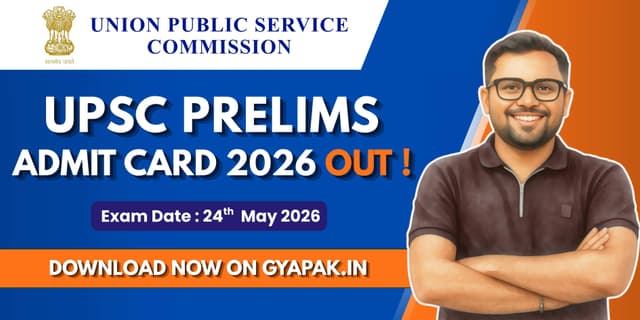
Banner Image

UPSC Prelims Admit Card 2026 Introduction

The UPSC admit card 2026 has been released on 11 May 2026 for 933 posts for the Civil Services Preliminary Examination. Candidates who are approved for the IAS examination can now download the admit card from the official website or the provided link, Gyapak.in. The Prelims admit card is mandatory for appearing in the exam scheduled for 24 May 2026 at various centers in India. The Union Public Services Commission has activated the link for the IAS exam hall ticket on its official portal.

UPSC Admit Card 2026 Key Highlights

FieldsInformation
Conducting BodyUnion Public Service Commission (UPSC)
Exam NameCivil Services (Preliminary) Examination 2026
Admit Card Release Date11 May 2026
Exam Date24 May 2026
Total Vacancies933 Posts
Exam ModeOffline (Pen & Paper Based)

How To Download the UPSC Admit Card?

  1. 1You can download the admit card by visiting the official UPSC website or the provided link, Gyapak.in.
  2. 2Go to the UPSC website homepage and find and open the "E-Admit Cards" section.
  3. 3You can open the admit cards section and click on the correct Premils admit card link.
  4. 4Then you can enter your Registration ID / Roll Number, Date of Birth, and Captcha Code.
  5. 5All information is filled in correctly; click on submit, and your IAS exam hall ticket will appear on your device screen.
  6. 6Finally, download the admit card and take printouts for future reference.

Documents Required on Prelims Exam Day

Candidates must carry the following documents on the exam day: 1. You can carry a hard copy of the UPSC admit card. 2. Valid Photo ID proof with Prelims admit card, like Aadhaar Card, PAN, Voter ID, Driving License, etc. 3. Passport-size photographs, if required, to stick on the form. 4. Blue/Black Ballpoint Pen to write on the exam paper.

Important Instruction for UPSC candidates

  • You can reach the exam center 45-60 minutes early with UPSC Prelims admit card because late candidates no allowed in exam hall.
  • In exam hall, UPSC admit card with any electronic devices are strictly prohibited.
  • Follow all the invigilator instruction carefully on IAS exam hall ticket.
  • You keep extra hard copies after you download the admit card.

Frequently Asked Questions

Comments

Login to join the discussion

Log in

No comments yet

UPSC

UPSC Prelims Admit Card 2026

Exam Date

24 May 2026

Released On

11 May 2026

📅Valid Upto: 24 May 2026
Download Admit Card

Key Details

Exam Name
UPSC Prelims Admit Card 2026
Exam Date
24 May 2026
Exam Ends
24 May 2026
Reporting Time
Released
11 May 2026
Valid Upto
24 May 2026

How To Download the UPSC Admit Card?

  1. 1You can download the admit card by visiting the official UPSC website or the provided link, Gyapak.in.
  2. 2Go to the UPSC website homepage and find and open the "E-Admit Cards" section.
  3. 3You can open the admit cards section and click on the correct Premils admit card link.
  4. 4Then you can enter your Registration ID / Roll Number, Date of Birth, and Captcha Code.
  5. 5All information is filled in correctly; click on submit, and your IAS exam hall ticket will appear on your device screen.
  6. 6Finally, download the admit card and take printouts for future reference.

Quick Links

Official WebsiteDirect Apply LinkDownload PDFDownload

More suggestions for you

16 May 2026

UPSC Prelims 2026 | Download Admit Card

Union Public Service Commission

87 viewsView details
19 May 2026

UPSC NDA 2 Recruitment 2026 | 394 Vacancies

Union Public Service Commission

Qualification: 12th pass or appearing

144 viewsView details
12 May 2026

UPSC Various Posts Recruitment 2026 | 45 Vacancies

Union Public Service Commission

Qualification: Any Bachelor's Degree

125 viewsView details
12 May 2026

UPSC Civil Services IFS Final Result 2026 OUT | Check Now

Union Public Service Commission

122 viewsView details
9 May 2026

UPSC CDS 1 Result 2026 Out | Check Now

Union Public Service Commission

112 viewsView details
25 May 2026

UPSC CDS 2 Recruitment 2026 | 451 Vacancies

Union Public Service Commission

Qualification: B.E./B.Tech/ Degree with Physics & Mathematics as core/elective OR Degree from a recognize…

110 viewsView details
1 May 2026

UPSC EPFO Admit Card 2025 for EO/AO and APFC exams

Union Public Service Commission

75 viewsView details
12 May 2026

UPSC NDA 1 Result 2026 | Download Scorecard

Union Public Service Commission

69 viewsView details
Follow us for daily updates
WhatsAppWhatsApp&TelegramTelegram
daily updates
Gyapak

Developed by

Insansa Techknowledge pvt ltd

Services

Exam Dates
Admit Cards
Result Declaration
Blogs
AI Counsellor

Company

About
Contact
Faqs
Disclaimer
Privacy Policy
Terms & Conditions

Stay Updated

Get exam dates, results & admit card alerts straight to your inbox.

Disclaimer: Gyapak.in is an independent information portal and is not affiliated with any government body or official recruitment authority. All information is for general informational purposes only. Please verify details from official sources before taking any action.

© 2026gyapak.in — All rights reserved.

Privacy PolicyTermsDisclaimer